 JomLatih

Scheduling
Gym scheduling software for a timetable that changes weekly
Class types, coaches, outlets and a capacity for each slot, on one weekly timetable. Build it once and the same timetable is what members book from.
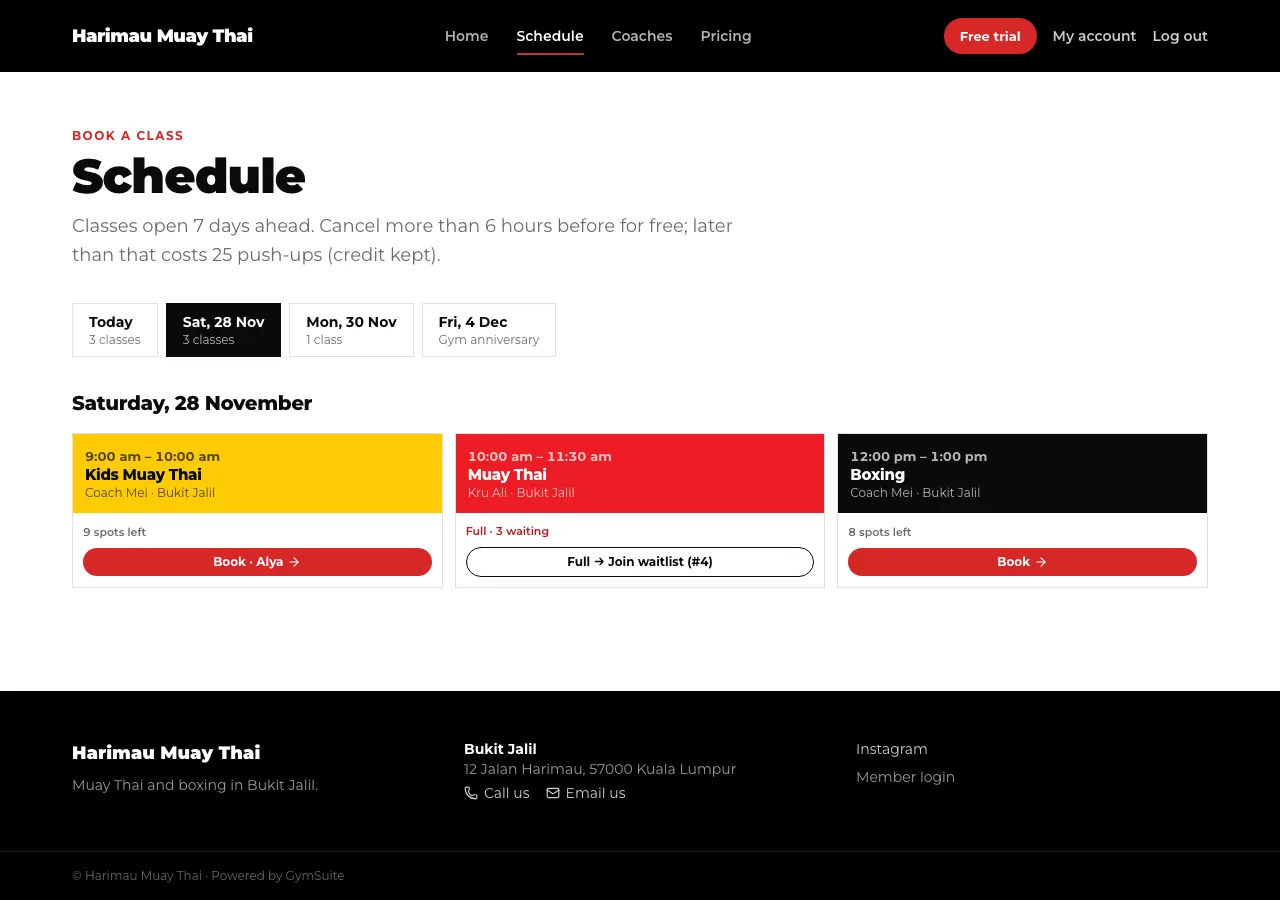
A combat gym is not one kind of class
Muay Thai, boxing, no-gi, kids and open mat run side by side, each with its own coach and its own mat space. Every one of those is a class type with a slot on the week, so the timetable reads the way the gym actually runs instead of forcing everything into one generic 'class'.
Each slot carries its coach, its outlet and its capacity. Two classes at the same time in different rooms are not a conflict, and two classes in the same room are visible to you before a member notices.
- Class types per discipline, each with its own coach and capacity
- Slots by weekday, per outlet, so a second room or branch is another timetable
- A default capacity for the gym and an override where the mat is smaller
- Inactive slots stay in the record instead of being deleted, so last month still makes sense
Changing the week without breaking it
Moving a class time is a normal week, not an incident. A slot can be deactivated so it leaves the timetable while the bookings already made on it are kept, which is the difference between editing next week and rewriting history.
Because the timetable is the same data the member site reads, a change appears to members immediately. There is no second copy to update.
Coaches, outlets and who may edit
Owners and managers build the timetable. A coach sees the classes they teach and works the roster from them; staff can be limited to a single outlet. Four roles cover the usual shape of a combat gym.
Unlimited coaches and staff logins on every plan means a gym with six trainers does not pay six times to put them on the schedule.
Weeks off and closed days
National public holidays come with the calendar. You decide per date whether the gym closes, whether selected classes run, or whether the day is untouched. A closure cancels that day's bookings and returns the credits.
For state holidays outside the seeded region, add the dates yourself. The timetable shows a closed day as closed rather than as a class with no bookings.
What it does not do yet
Scheduling here means the weekly class timetable. Recurring rotas for staff shifts, and PT availability, are not part of it.
- Personal training availability and PT booking
- Staff shift rotas
- Owner reports on attendance and revenue
- An embed widget for an existing website
- Belt and grade tracking for grading days
Plans from RM99 a month. The free trial is 30 days on Studio, no card. Every plan and limit.
Questions gym owners ask
More answers on the full FAQ.
Can one gym run two timetables at two outlets?
Yes. Each outlet has its own timetable, and a member books at either one from the same account. Pro includes two outlets.
What happens to bookings if I remove a class from the week?
The slot is deactivated rather than deleted, so it leaves the timetable and the bookings already made on it are kept. Deleting history is not how a week is changed.
Can I set a different capacity per class?
Yes. There is a default capacity for the gym and a per-slot number for a class in a smaller room.
Does the timetable appear on the gym's website automatically?
Yes. The member site is generated from the timetable you build, so there is no second place to type the schedule.
Build next week's timetable in one place
Start a free trial, or book a demo and we will set up your classes with you.